Safe Island-Mode Switching in Home Assistant
How I built a break-before-make Home Assistant script with 15-second delays and a two-tier battery SOC safety net to switch my home office between grid power and battery island mode without frying anything.
Running a home office off a DIY battery and an inverter sounds great until you actually have to switch between grid power and island mode. If you just flip smart plugs in the wrong order—or too fast—you risk backfeeding, tripping breakers, or giving your power station a nasty voltage spike.
I wanted to automate switching my office between grid power and battery island mode in Home Assistant, so I built a strict "break-before-make" sequence with generous cooldowns and a two-tier safety net.
The Break-Before-Make Script
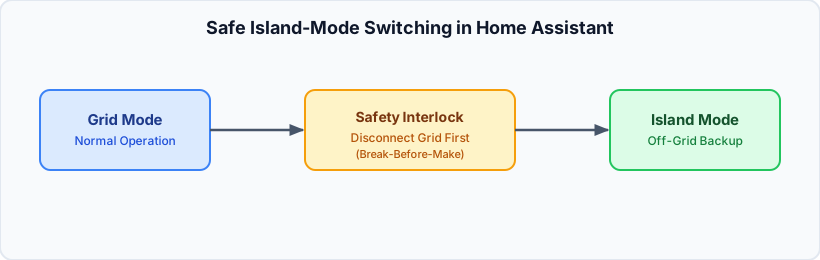
The core of the setup is a Home Assistant script called office_stromquelle_auf_batterie. Instead of flipping everything at once, it follows an exact 8-step sequence:
- Shut down chargers and boost: First, I turn off the battery boost switch (
switch.office_battery_controller_daemon_office_akku_boost_laden_forcieren), the BMS charging switch (switch.jbd_bms_ble_jbd_bms_ble_charging), and the Shelly charger (light.shelly_office_charger). - Stabilize (5 seconds): A short 5-second delay lets the load settle before any relays click.
- Disconnect the load: I turn off
switch.plug_office_river, which disconnects my EcoFlow River power station from the upstream circuit. - Wait (15 seconds): Fifteen seconds of dead air so capacitors discharge and nothing is under load.
- Switch to island mode: I turn off
switch.plug_office_no_upsto cut the grid bypass and let the inverter take over. - Wait again (15 seconds): Another 15-second pause to let the inverter output stabilize.
- Reconnect the load: Finally, I turn
switch.plug_office_riverback on so the power station is fed by the island grid. - Update state: The script sets
input_select.office_stromquelleto"Batterie (Inselbetrieb)".
Here is the actual sequence from my scripts.yaml:
office_stromquelle_auf_batterie:
  alias: "Office-Stromquelle: Umschalten auf Batterie (Inselbetrieb)"
  icon: "mdi:battery-high"
  mode: single
  sequence:
    - action: switch.turn_off
      target:
        entity_id:
          - switch.office_battery_controller_daemon_office_akku_boost_laden_forcieren
          - switch.jbd_bms_ble_jbd_bms_ble_charging
    - action: light.turn_off
      target:
        entity_id: light.shelly_office_charger
    - delay:
        seconds: 5
    - action: switch.turn_off
      target:
        entity_id: switch.plug_office_river
    - delay:
        seconds: 15
    - action: switch.turn_off
      target:
        entity_id: switch.plug_office_no_ups
    - delay:
        seconds: 15
    - action: switch.turn_on
      target:
        entity_id: switch.plug_office_river
    - action: input_select.select_option
      target:
        entity_id: input_select.office_stromquelle
      data:
        option: "Batterie (Inselbetrieb)"
Switching back to grid power (office_stromquelle_auf_netz) uses the same break-before-make logic in reverse: disconnect switch.plug_office_river, wait 15 seconds, turn switch.plug_office_no_ups back on, wait another 15 seconds, reconnect switch.plug_office_river, and update input_select.office_stromquelle to "Netzstrom".
Why Two Safety Automations?
Even with a clean switching script, batteries run empty. And if you're in the middle of a video call, you don't want your office going dark—or worse, draining your LiFePO4 cells to zero.
I set up two separate automations in automations.yaml watching sensor.jbd_bms_ble_jbd_bms_ble_state_of_charge:
- Graceful switch at 10% SOC (
office_akku_entladen_schutz_soc_tief): When the battery drops below 11% (i.e., 10% or lower) while in island mode or discharging, Home Assistant runsscript.office_stromquelle_auf_netz, sets the battery controller mode tostandby, and sends me a Telegram message. - Emergency fallback at 5% SOC (
buro_office_batterie_notstrom_fallback): If the graceful switch somehow didn't catch it and the battery drops below 6% (5% or lower), this automation skips the 15-second delays and immediately turns on bothswitch.plug_office_no_upsandswitch.plug_office_river, followed by a critical Telegram alert.
What I Learned
Those 15-second delays feel like an eternity when you're testing them, but they've completely eliminated relay chatter and weird inverter hiccups. Having mode: single on the scripts also ensures I can't accidentally trigger a second switch while one is already mid-sequence. It's not flashy, but it's rock solid.