Automating an Office Battery Controller with EPEX Spot Pricing
How I built a local EPEX Spot DE-LU price heatmap service and paired it with a Dockerized Node.js MQTT battery controller to charge my office battery when electricity is cheap.
Having a battery in the office is great when you have solar surplus, but on grey winter days, solar alone won't fill it. If you're on a dynamic electricity tariff—or just want to charge when grid prices hit rock bottom—you need two things: reliable day-ahead price data and a controller that can actually act on it.
That's how I ended up combining two small self-hosted projects: an EPEX Spot DE-LU price service and a Dockerized Office Battery Controller talking over MQTT.
Step 1: Making EPEX Spot Prices Useful Locally
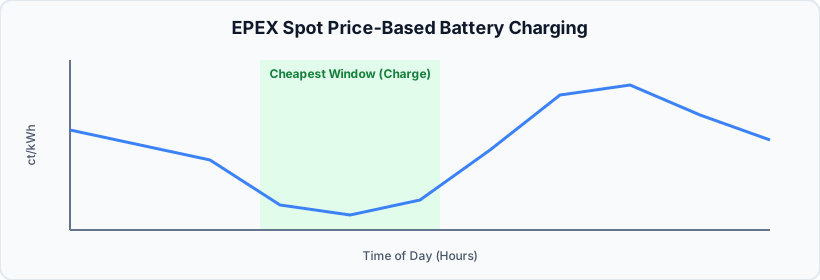
I wanted to see German/Luxembourgian day-ahead prices without relying on a cloud app, so I built a small Dockerized web app (epex-spot-pricing) backed by the public Fraunhofer ISE Energy-Charts API.
It renders a 365×24 interactive heatmap ("Strompreis-Teppich") of hourly prices in ct/kWh—automatically aggregating 15-minute intervals into hourly averages—and lets me toggle between net spot prices and estimated gross end-customer prices ((Spot + Offset) × 1.19). More importantly for automation, it includes:
- Highlight filters for negative prices (
≤ 0 ct), the cheapest 20% of hours, and price spikes (≥ 15 ct). - A day inspector that calculates the cheapest contiguous 3-hour and 4-hour charging windows for any given day.
- A rate-limited JSON cache in
/data(max 2 API requests per minute, refreshing every 6 hours) so I never hammer the upstream API. - Simple REST endpoints on port
8080, likeGET /api/prices/actual?year=YYYYandGET /api/prices/average.
Step 2: The Office Battery Controller
On the hardware side, my office battery uses a JBD BMS connected via an ESP32 BLE bridge, a Zigbee smart plug for the charger (zigbee2mqtt/plug_office_charger), and a smart meter (tele/WattWaechter_579F6D/SENSOR) reporting live grid power.
Originally, my charging logic lived inside Node-RED, which worked until it didn't—debugging complex state machines in a visual flow editor gets old fast. So I moved it into a standalone Node.js container (office-battery-controller) running in Docker.
To avoid rewriting all the battle-tested logic from scratch, controller.js actually wraps algorithm.js with a tiny global.get / global.set mock for the old Node-RED context. It connects to my local MQTT broker (192.168.8.204:1883) and listens to:
- Live grid power from the smart meter
- Battery State of Charge (SoC), charging power, and switch state from
jbd-bms-ble - Balcony solar output, Jupiter battery SoC, and today's PV forecast
It also has a SHADOW_MODE environment variable. When set to true, it logs what it would do without touching any switches—super handy when testing new rules. Once I trusted it, I flipped SHADOW_MODE=false in docker-compose.yml.
What I Learned
Splitting data collection from actuation kept both services simple. The EPEX Spot app handles API rate limits, caching, and finding cheap 3h/4h charging windows, while the battery controller just reacts to MQTT state and enforces safety boundaries (like my 09:00 - 18:00 charging time window in Europe/Berlin time).
The biggest lesson? Always build a shadow mode before letting a script toggle a battery charger. Watching the logs for a couple of days saved me from plenty of unintended charge cycles.